
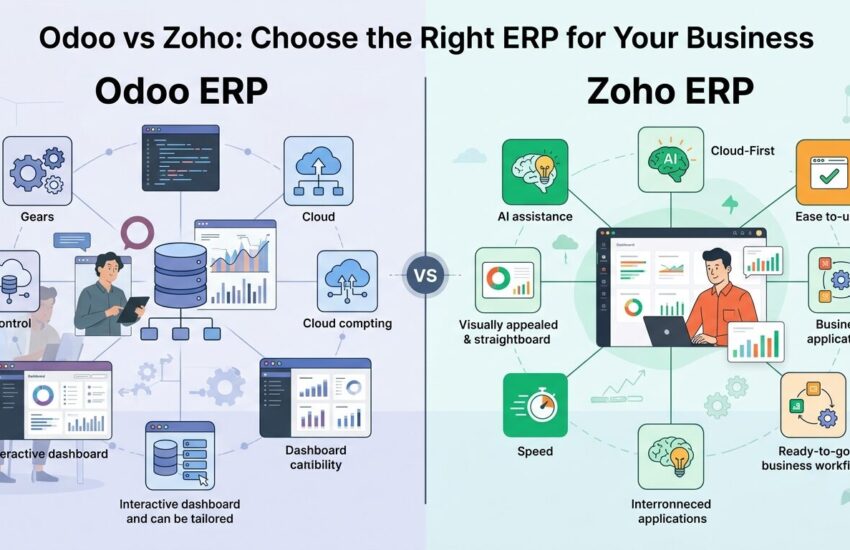
Let us be real: picking an ERP is not just a software decision. It is a business decision that shapes how your teams work, how your data flows, and where your money goes for the next few years. A lot of businesses that implemented ERP systems reported measurable process improvements, yet nearly half struggled with the selection process itself. That gap? That is exactly what this comparison is here to close.
At ERPOcean, we work hands-on with both Odoo and Zoho every single day. This way, we can tell you – not from specs on a product page, but from real deployment experience – where each platform wins, where it falls short, and who it is truly built for.
So if you are stuck between Odoo vs Zoho, read this all the way through. By the end, you will know which one makes sense for your business, not just in theory, but in practice. Let’s dig in:
Why Your Business Needs the Right ERP – Not Just Any ERP
Growing a business without the right systems in place is like driving without a dashboard. You are moving, but you cannot see your speed, fuel, or direction. ERP software fills that gap by pulling all your operations – finance, sales, HR, inventory – into one place.
The real problem is not finding an ERP. The problem is finding the right ERP for your specific size, industry, and goals. That is where the Odoo vs Zoho debate gets interesting. Both are strong platforms. Both have loyal user bases. But they are built for very different types of businesses.
That way, instead of chasing features, let us focus on fit. What does your business actually need right now – and three years from now?
Odoo and Zoho at a Glance
Before getting into the details, here is a quick snapshot of both platforms side by side.
| Feature | Odoo | Zoho |
| Type | Open-source ERP | SaaS ERP Suite |
| Deployment | Cloud / On-premise / Self-hosted | Cloud only |
| Pricing | Free (Community); ~$25/user/month (Enterprise) | ~$37/user/month (Zoho One) |
| Best For | SMEs to Enterprises with IT resources | Startups and SMBs needing speed |
| Customization | Very high – open architecture | Moderate – via API and config |
| App Integrations | 20,000+ on Odoo App Store | 1,500+ on Zoho Marketplace |
Deployment Model – Open-Source vs SaaS
This is where Odoo and Zoho take two entirely different roads. The deployment model you choose affects everything – from data ownership to IT workload to long-term flexibility.
Odoo – Full Control, Your Rules
undefined gives you three hosting options – self-hosted, Odoo.sh (their cloud), or any third-party cloud provider. For businesses in regulated industries or those with strict data sovereignty requirements, this level of control is a real advantage. Not only that, but you also get the ability to modify the source code itself, which is something no SaaS platform can match.
Zoho – Zero Maintenance, Always Updated
undefined runs entirely on the cloud. You do not manage servers. You do not deal with updates. Everything just works. This way, your team can focus on using the tool rather than maintaining it. For a startup or a lean SMB team, that trade-off is completely worth it.
The bottom line – if you want ownership and control, pick Odoo. If you want simplicity and zero IT overhead, Zoho is your answer.
Feature-by-Feature Comparison
Let us go through the core modules. This is where you need to pay close attention, because the differences are not just surface-level – they affect how your teams operate daily.
CRM
undefined gives you a fully customizable sales pipeline. You can build custom stages, automate lead assignments, and tie CRM directly into your quoting and invoicing flow. That is a major time-saver for sales teams.
undefined, on the other hand, focuses on ease of use. The UI is clean, the dashboards are visual, and Zia – Zoho’s AI assistant – provides smart insights. For small sales teams that need to hit the ground running, Zoho CRM is very hard to beat.
Finance and Accounting
undefined is a full-suite module. It handles multi-currency, multi-company setups, bank reconciliation, tax reports, and integrates natively with your inventory and sales. This way, your finance data is always connected to operations in real time.
undefined is a solid accounting tool. It covers invoicing, expense tracking, tax compliance, and basic inventory. Likewise, it connects cleanly to Zoho CRM and Zoho Inventory. For a small business managing straightforward financials, Zoho Books gets the job done without overcomplicating things.
Inventory Management
If you run warehouses, Odoo Inventory is in a different league. Multi-warehouse support, barcode scanning, lot and serial number tracking, dropshipping rules – it handles complex operations with precision.
undefined is great for simpler stock management needs. It tracks items, manages orders across channels, and connects well with Zoho Books. Hereby, businesses with basic-to-moderate inventory needs will find it more than enough.
HR and Payroll
undefined covers recruitment, employee records, time-off management, attendance, appraisals, and payroll – all from one place. You can also build custom payroll structures per region.
undefined is dedicated HR software. It offers clean employee management, leave tracking, shift scheduling, and performance management. Payroll is handled via Zoho Payroll – a separate but connected app.
Automation
Both platforms offer workflow automation, but in different ways. Odoo lets you write custom server actions and Python scripts. Therefore, if your team has technical resources, the automation possibilities are nearly limitless.
undefined uses a visual Blueprint builder and AI-powered suggestions. Not only that, but Zoho also offers Zoho Flow for connecting apps without code. For non-technical teams, this is a much smoother experience.
Module Comparison Summary
| Module | Odoo | Zoho |
| CRM | Deep customization, pipeline control | Clean UI, AI-driven insights |
| Finance | Full accounting + multi-company | Zoho Books – simple, integrated |
| Inventory | Multi-warehouse, barcoding, lot tracking | Channel-based order and stock tracking |
| HR | Full HR + customizable payroll | Zoho People + Zoho Payroll |
| Automation | Server actions, Python scripts | Blueprint, Zoho Flow, AI assist |
Integration Ecosystem
How well your ERP connects with your existing tools matters more than most people realize. A platform that lives in a silo will slow your team down.
Odoo hosts over 20,000 apps in its App Store. Since the code is open, you can also build custom connectors to virtually any third-party system – legacy or modern. This way, even businesses running older systems can bring everything together without replacing what already works.
Zoho offers a tighter but well-curated ecosystem through the Zoho Marketplace with 1,500+ integrations. The strength here is how well all Zoho apps talk to each other. CRM, Books, People, Desk, Campaigns – they all share data natively. Therefore, if you are already in the Zoho ecosystem, the connected experience is genuinely hard to beat.
For businesses with heavy third-party dependencies, Odoo wins on breadth. For businesses that want a clean, unified stack, Zoho wins on simplicity.
Customization and Developer Support
This section is where Odoo genuinely pulls ahead – if you have the right team behind it.
undefined is built on Python and PostgreSQL. Developers can modify any module, create new ones from scratch, override views, build custom reports, and extend workflows. At ERPOcean, our Odoo team has built everything from custom manufacturing modules to localized payroll engines. The flexibility is real.
If your business has specific, non-standard processes, Odoo is the better fit. If your processes are fairly standard and you just need them done well, Zoho is entirely sufficient.
Total Cost of Ownership – What You Actually Pay
Pricing pages do not tell the full story. Let us walk through what you actually spend.
| Cost Factor | Odoo | Zoho |
| License | Free (Community) / ~$25/user/month (Enterprise) | ~$37/user/month (Zoho One) |
| Hosting | Self-managed or Odoo.sh (~$10-50/mo) | Included in subscription |
| Implementation | Higher – requires developer time | Lower – guided setup, pre-built |
| Customization | Can vary – based on scope | Limited to what platform allows |
| Maintenance | Ongoing – updates, patches, dev support | Handled by Zoho |
| Long-term (3yr) | Cost-effective for large, complex orgs | Predictable for SMBs |
Here is the honest picture – Odoo’s license cost is lower. But if you do not have in-house developers, you will pay for Odoo implementation services and ongoing customization. That is where costs climb.
Zoho’s subscription covers hosting, updates, and support. That way, your monthly spend is fixed and easy to forecast. For a startup or a 10-50 person team, that predictability is genuinely valuable.
At ERPOcean, we help businesses calculate their actual total cost before committing. This way, there are no surprise invoices six months down the road.
Who Should Choose What – Use-Case Breakdown?
Let us get specific. Here is how the decision breaks down based on where your business stands right now.
| Business Stage | Recommended Platform | Why |
| Early-stage startup | Zoho | Fast setup, low maintenance, predictable cost |
| Growing SMB | Zoho or Odoo | Depends on IT capacity and customization needs |
| Mid-market company | Odoo | Scalable modules, deep process control |
| Enterprise | Odoo | Custom modules, on-prem option, complex integrations |
| Non-technical team | Zoho | User-friendly with guided workflows |
| In-house dev team | Odoo | Full flexibility to build exactly what you need |
Startups benefit from Zoho’s plug-and-play approach. You get CRM, finance, and HR up and running within days. There is no heavy setup, no long onboarding, and no IT team required.
Growing SMEs often start with Zoho and migrate to Odoo as complexity grows. Not only that, but at ERPOcean, we handle these migrations regularly – moving businesses from Zoho to Odoo when their needs outgrow what Zoho can offer.
Enterprises need Odoo. Period. Multi-company setups, custom manufacturing flows, complex payroll structures, localized compliance – Odoo handles all of it. Zoho simply was not built for that level of complexity.
How ERPOcean Helps You Get the Most Out of Both Platforms?
At ERPOcean, we do not just implement software. We work with you to understand your processes first, then configure the platform around them – not the other way around.
Our Odoo services cover end-to-end Odoo implementation, custom module development, third-party integrations, data migration, and post-launch support. This way, your Odoo ERP system is built for how your business actually works – not a generic out-of-the-box setup.
Our Zoho services span the full suite – from Zoho CRM and Zoho Books to Zoho Projects, Zoho People, and Zoho Desk. We handle setup, automation, integrations, and training. Hereby, your team is productive from day one.
We also work with Microsoft Dynamics 365, Salesforce, and WeekMate ERP – so whatever direction your business goes, ERPOcean can support the journey.
What sets ERPOcean apart:
- Expert ERP Setup – certified consultants who have done this dozens of times across industries
- Personal Support – not a ticket queue; real people who know your system
- Smart Custom Solutions – we build around your business, not the other way around
- One System, Total Control – we connect your teams, data, and tasks into a single, clear platform
Your ERP Decision Checklist
Before you make the call between Odoo and Zoho, run through these questions honestly.
| Question | Points to Odoo | Points to Zoho |
| Do you need high customization? | Yes | No |
| Do you have an in-house IT team? | Yes | No |
| Is on-premise deployment important? | Yes | No |
| Do you need 20,000+ integrations? | Yes | No |
| Do you want zero maintenance overhead? | No | Yes |
| Is your budget fixed and predictable? | No | Yes |
| Do you run complex multi-company operations? | Yes | No |
Count your answers. That way, the right platform becomes fairly obvious. If you are still not sure, reach out to ERPOcean – we offer honest advice, not a sales pitch.
The Final Word – Odoo or Zoho?
If you have made it this far, you already know there is no one-size-fits-all answer to the Odoo vs Zoho question. These are two very capable platforms built for different contexts.
Choose Odoo when you need depth – deep customization, full data control, complex module configurations, and a system that can grow with an enterprise-level operation. It is the kind of platform that rewards investment.
Choose Zoho when you need speed – fast deployment, a clean user experience, and a predictable subscription model that covers everything. It is the kind of platform that rewards simplicity.
Either way, do not go at it alone. The difference between a successful ERP implementation and a costly one often comes down to who you have in your corner. That is exactly what ERPOcean is here for. We help businesses like yours set up, run, and get the most out of their ERP – the right way, from day one.
Ready to make the move? Let ERPOcean help you figure out the best fit – and then build it properly.
Frequently Asked Questions
1. What is the main difference between Odoo and Zoho ERP?
Odoo is an open-source ERP platform with full customization and deployment flexibility. Zoho is a cloud-based SaaS suite focused on ease of use and fast setup. The right choice depends on your technical capacity and how complex your business processes are.
2. Which ERP is better for small businesses?
Zoho is generally the better starting point for small businesses. The setup is guided, the UI is approachable, and the pricing is straightforward. Odoo’s community edition is free, but implementation requires more technical involvement.
3. Is Odoo more expensive than Zoho overall?
The Odoo license starts lower than Zoho. That said, when you factor in implementation, customization, and maintenance, the total cost can be higher – especially without an internal IT team. Zoho’s subscription bundles most of that in, making budgeting easier.
4. Can Zoho be customized the way Odoo can?
Not to the same level. Zoho allows customization through its API, Zoho Creator, and configuration. But you cannot modify the underlying code. Odoo, being open-source, gives you complete control over every module and workflow.
5. Which ERP is better for enterprises?
Odoo is the stronger choice for enterprise use. It supports multi-company setups, on-premise deployment, custom ERP modules, and complex integrations. For large organizations with unique operational needs, the flexibility of Odoo is hard to match.

