
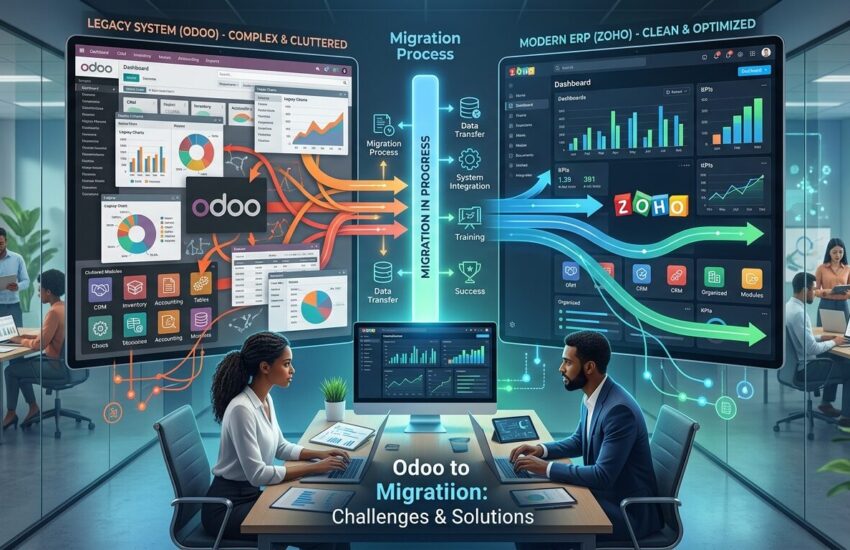
Switching from Odoo to Zoho is one of those decisions that looks straightforward on paper. In practice, it rarely is.
According to Panorama Consulting Group, ERP budget overruns have historically affected over half of projects, though the exact percentage varies by year. Poor planning is behind almost every one of those failures.
We have seen this play out firsthand at ERPOcean. Businesses come to us mid-crisis data half-moved, integrations broken, teams frustrated. Most of the damage was preventable.
This blog covers the most common Odoo to Zoho migration challenges in plain terms. Read through each one. There is a clear fix for every single problem on this list. Now, let’s get started:
Why ERP Migrations Fall Apart Before They Even Begin?
Most ERP migration failures do not start during the data transfer. They start in the planning room weeks earlier.
Teams skip the data cleanup step. Old errors, blank fields, and duplicate entries travel straight into the new system. From there, the problems only multiply.
On top of that, Odoo and Zoho have very different foundations. Odoo is open-source and built around Python modules. Zoho is cloud-native with a closed app structure. That gap in architecture causes friction at every single step of the move.
Not only that, but most businesses wait too long to bring in migration experts. By the time things are visibly broken, the cost of fixing it is far higher than the cost of getting it right from the start.
Challenge 1: Incomplete Data Mapping Between Odoo and Zoho
This is almost always the first problem. Both systems handle customer records, invoices, and task data — but they store it differently. A field that exists in Odoo may have no direct match in Zoho.
When those gaps go unnoticed before migration, they show up in painful ways afterward. Broken workflows. Invoices with no linked customer. Finance teams chasing records that never transferred.
The answer is simple, but it takes discipline. Do a full field-to-field mapping before a single record moves. Map every Odoo object to its Zoho destination, custom fields included. That way, you go into the migration knowing exactly what you are working with.
| Odoo Data Object | Zoho Equivalent | Where the Risk Sits |
| res.partner | Zoho CRM — Contacts / Accounts | Address field structure often mismatches |
| account.invoice | Zoho Books — Invoices | Tax field logic differs between platforms |
| project.task | Zoho Projects — Tasks | Custom task stages may not transfer |
| hr.employee | Zoho People — Employees | Leave balance records are frequently lost |
| sale.order | Zoho CRM — Deals / Sales Orders | Multi-currency setups create mapping gaps |
Challenge 2: Field Type Differences and Relational Data Conflicts
Even solid mapping does not protect you from field type mismatches. Odoo might store a value as a many-to-many relational field. Zoho might expect plain text or a lookup in that same spot.
That gap means perfectly clean Odoo data arrives in Zoho broken. Some records fail to import entirely. Others land with blank fields. Relationships between objects quietly disappear.
At ERPOcean, we run pre-migration data transformation scripts to handle this. These scripts convert field types, check allowed values, and flag anything that will cause an error before import begins. We also test every single transformation inside a Zoho sandbox first. That way, nothing unexpected reaches your live environment.
Python: Field Type Validation Before Zoho Import
# Validate field types before pushing records into Zoho

def validate_field_types(record, field_map):

    errors = []

    for odoo_field, zoho_field in field_map.items():

        value = record.get(odoo_field)

        expected_type = zoho_field.get('type')

        if expected_type == 'text' and not isinstance(value, str):

            errors.append(f"'{odoo_field}' should be text.")

        elif expected_type == 'integer' and not isinstance(value, int):

            errors.append(f"'{odoo_field}' should be an integer.")

        elif expected_type == 'date' and not is_valid_date(value):

            errors.append(f"'{odoo_field}' has an unreadable date format.")

    return errors

def is_valid_date(val):

    from datetime import datetime

    try:

        datetime.strptime(val, '%Y-%m-%d')

        return True

    except (ValueError, TypeError):

        return False
Challenge 3: Custom Module Migration The Hardest Part
Very few Odoo setups are standard. Over time, businesses build custom modules on top approval flows, validation rules, automated triggers, business-specific logic. None of it moves to Zoho automatically.
Everything has to be rebuilt from scratch using Zoho’s tools. Zoho has its own scripting language called Deluge and a low-code app builder called Zoho Creator. Both are solid, but they work very differently from Odoo’s Python backend.
A rule that took a few hours to write in Odoo may take a full day or more to rebuild in Deluge. Especially when it involves layered conditions or data pulled from multiple modules.
Start by documenting every custom feature you have built before the migration begins. That gives your rebuild team a complete reference. Nothing gets missed. Nothing gets assumed.
| What You Built in Odoo | How to Rebuild It in Zoho |
| Python custom module | Zoho Creator + Deluge scripting |
| Automated actions | Zoho Flow or Zoho Blueprint |
| Custom report templates | Zoho Analytics — custom reports |
| Multi-step approval chains | Zoho Approval workflows |
| Custom fields and list views | Zoho CRM or Zoho Books field settings |
Challenge 4: Third-Party Integration Conflicts
Your Odoo system does not run in isolation. Payment gateways, shipping tools, marketing platforms, support desks they are all connected. When you switch to Zoho, none of those connections come along.
Each third-party integration has to be rebuilt through Zoho’s REST API or a native Zoho Marketplace connector. Some have a ready-made connector. Others need middleware Zoho Flow, Zapier, or Make.
Not only that, but some legacy tools have no Zoho support at all. In those cases, custom API development is the only path.
Audit every active integration at the very start of the project. Check what Zoho can connect to natively. Plan your workarounds for anything it cannot. Do not save this discovery for the final week.
| What You Connect | How Odoo Handles It | Your Zoho Option |
| Payment Gateway | Odoo Payment Acquirers | Zoho Books Payment Gateways |
| Shipping | Third-party Odoo module | Zoho Inventory shipping integrations |
| Email Marketing | Odoo Email Marketing module | Zoho Campaigns |
| Support / Helpdesk | Odoo Helpdesk module | Zoho Desk |
| Custom ERP API | XML-RPC | Zoho REST API |
Challenge 5: Data Loss Risk During Transfer
Data loss happens more often than teams expect and it rarely announces itself in advance. API rate limit interruptions, failed export scripts, unhandled field transformations. Any one of these can leave records stuck between systems.
Zoho’s daily API call limits vary by plan. If your migration script hits that ceiling mid-run, imports stop cold. Records neither arrive in Zoho nor stay cleanly in Odoo.
Run migrations in batches. Log every record as it moves. Check counts before and after each batch finishes. Take a complete Odoo backup before the first record ever moves. That way, you have a clean restore point if anything goes sideways.
Python: Batch Import With Per-Record Logging
# Run imports in batches and log every outcome

def batch_import(records, batch_size=100):

    total = len(records)

    imported = 0

    failed = []

    for i in range(0, total, batch_size):

        batch = records[i:i + batch_size]

        for record in batch:

            result = import_to_zoho(record)

            if result['status'] == 'success':

                imported += 1

            else:

                failed.append(record['id'])

    print(f'Transferred: {imported} of {total}')

    print(f'Records that failed: {failed}')
Challenge 6: Downtime and Operational Disruption
No business can afford to go dark mid-migration. Sales stop. Tickets pile up. Customers feel it. A poorly planned cutover can wipe out days of productivity sometimes longer.
The fix is to avoid the big-bang approach entirely. Use a phased migration plan instead move one module at a time, starting with the ones that matter least operationally.
That way, your team keeps working in Odoo while Zoho is being built and validated in the background. There is no single moment where everything stops. Likewise, if one module has issues, the rest of the business keeps moving.
| Phase | What to Move First | Why Start Here |
| Phase 1 | Contacts and Leads | Lowest impact on daily operations |
| Phase 2 | Invoices and Bills | Can be tested independently |
| Phase 3 | Inventory and Orders | Requires cross-module integration checks |
| Phase 4 | HR and Payroll | Sensitive data — do this last |
| Phase 5 | Full cutover | Only after every module is signed off |
Challenge 7: User Resistance and Missing Training
A migration is not just a technical event. It is a change in how your team works every day. Zoho looks different from Odoo. Menus sit in different places. Reports are built differently. Even the terminology shifts.
When people are not prepared, they push back. Productivity drops. Teams invent workarounds. Some just stop using the new system altogether and request the old one back.
Training has to be part of the migration timeline not a last-minute addition. Short video walkthroughs, printed reference guides, and live Q&A sessions before go-live all make a real difference. Likewise, having one named support contact your team can reach out to during the first few weeks goes a long way.
Challenge 8: API Limits and Large Data Volumes
Years of customer records, invoices, inventory data, and employee files add up. When you transfer that volume in one go, you are almost guaranteed to hit Zoho’s daily API call limits.
The limits vary by plan from 5,000 calls per day on Free to 2,00,000 on Enterprise. Hit the ceiling mid-transfer, and everything stops. Records get stuck in limbo.
Schedule heavy data transfers for off-peak hours. Batch your records so each API call carries as many entries as the plan allows. Write retry logic into your migration script for any calls that fail. That way, the process runs through to completion without interruption.
| Zoho Plan | API Calls Per Day | Batch Size to Stay Safe |
| Free | 5,000 | 50 records per call |
| Standard | 25,000 | 100 records per call |
| Professional | 50,000 | 200 records per call |
| Enterprise | 2,00,000 | 500 records per call |
Quick Fix Reference — All Eight Challenges
Use this table as a checklist. Every challenge on this list has a concrete, tested solution.
| The Problem | The Fix |
| Incomplete data mapping | Map every field before migration starts |
| Field type mismatches | Validate field types with scripts before import |
| Custom module gaps | Document all logic — rebuild using Zoho Creator or Deluge |
| Broken integrations | Audit all tools early and map Zoho connectors |
| Data loss mid-transfer | Batch imports with logging and pre-migration backups |
| Operational downtime | Phase the migration — one module at a time |
| User pushback | Train teams before launch — not the day after |
| API rate limit hits | Schedule transfers off-peak and batch records smartly |
How ERPOcean Handles All of This for You?
At ERPOcean, we have run Odoo to Zoho migrations for businesses in retail, manufacturing, professional services, and more. We have seen every one of these problems up close. We know exactly where things go wrong and we plan around those points before the migration even starts.
Our team takes care of the full scope. Pre-migration audits. Data mapping. Custom logic rebuilds. Integration re-wiring. User training. Post-launch support. All of it handled in one place no handing off to multiple vendors mid-project.
We also stick around after go-live. The first few weeks are when real questions surface. Your team will not be left navigating Zoho alone while we collect our invoice. We stay until things are stable and your team is comfortable.
Final Thoughts
An Odoo to Zoho migration is not a project to rush. The risks are real data mapping gaps, API limit interruptions, broken integrations, teams that resist change. Each one of these can set your business back if it catches you off guard.
The good news is that none of it is unavoidable. Every single challenge on this list has a clear, proven fix. The key is to know what to expect before you start.
If you want a straight conversation about what your migration will actually involve, get in touch with ERPOcean. We will give you an honest assessment not a sales pitch and build a plan that fits your business.
Q1. How long does an Odoo to Zoho migration usually take?
There is no single answer — it depends on your data volume and how many custom modules your Odoo system carries.
A clean, standard setup can be migrated in two to four weeks. A heavily customized environment with multiple third-party integrations can take two to three months.
At ERPOcean, the first thing we do is a full pre-migration audit. That gives you a realistic timeline based on what is actually in your system — not a hopeful estimate.
Q2. Is it possible to lose data during the migration?
Yes — and it happens more often than people expect. API limit interruptions, broken scripts, and missed backups are the usual causes.
That said, it is entirely preventable. Take a full Odoo backup before anything starts. Run the migration in batches. Log every record. Validate counts after each phase. That way, nothing goes missing without you knowing about it immediately.
Q3. Can our custom Odoo modules be moved to Zoho as-is?
No — the architecture is too different for a direct transfer. Custom modules built in Python for Odoo have to be rebuilt using Zoho Creator or Deluge scripting.
The good news is that most business logic can be recreated inside Zoho’s ecosystem. The critical step is to document every custom feature before migration starts. That way, your rebuild team has a complete list — nothing gets assumed or forgotten.
Q4. What happens to our existing third-party integrations after we move?
They do not transfer on their own. Each one has to be re-established using Zoho’s REST API or a native connector from the Zoho Marketplace.
Some tools have a ready-made connector. Others need middleware like Zoho Flow or Zapier. A few older tools may have no Zoho support at all and will need custom development. We audit every active integration at the start — so there are no surprises waiting at go-live.
Q5. Can we keep Odoo running while Zoho is being set up?
Yes — and this is exactly how we recommend doing it. Running both systems in parallel during a phased migration means your team keeps working without disruption.
Zoho gets built and tested in the background, module by module. There is no single cutover moment where everything stops at once. That way, if any module needs rework, the rest of the business is not affected.
Q6. How do Zoho’s API limits affect the migration process?
Zoho puts a cap on how many API calls your account can make per day. The limit depends on your plan — from 5,000 on Free up to 2,00,000 on Enterprise.
If your migration script exceeds that limit mid-run, imports stop. Records get caught between systems. The fix is to schedule heavy transfers overnight, batch records carefully, and build retry logic into the script. ERPOcean handles all of this planning upfront on every project.
Q7. Do our staff need training before using Zoho?
Absolutely — and starting early makes a real difference. Zoho’s interface, terminology, and workflow structure are different from Odoo. Teams that go in unprepared tend to push back hard.
We recommend short video walkthroughs, printed reference guides, and live sessions before launch day. Likewise, a named support contact during the first few weeks of live operation keeps things from going off track. That way, your team has somewhere to turn when they hit a wall.
Q8. Why should we work with ERPOcean on this migration?
ERPOcean is a certified Zoho partner with direct experience in end-to-end ERP migrations. We have seen how these projects go wrong — and we build our process around preventing exactly that.
We handle everything in one place — data mapping, custom rebuilds, integration re-wiring, user training, and post-launch support. You are not managing five separate vendors across a high-stakes project.
We also stay involved after go-live — because that is when the real questions show up. If you want a partner who gives you straight answers and stays accountable from start to finish, that is what ERPOcean is built for.

